Configuring a Course Basics - Questions and Answers
Cerințe pentru finalizare
This book contains FAQs about configuring a course in Moodle. In
Secton 3.1 you can watch an explanatory video with basic course
configuration information.
4. How do students get enrolled in my Course?
4.2. Set up enrolment by email invitation
Invitation enrolment allows instructors to invite (by email) students, other instructors or TAs to enrol in their course.
To invite users into a Moodle course:
-
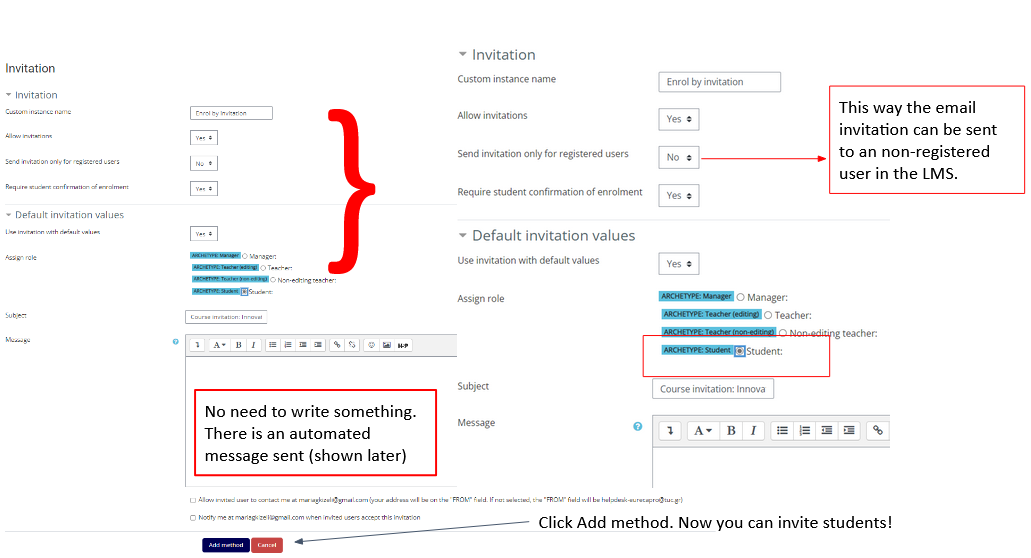
First, you have to add the "enrolment by invitation" method to your course. From the Course Administration block navigate to Users-->Enrolment Methods . Once the enrolment methods window opens, in the Add method field, select Invitation.
- Second, you have to configure the invitation method.
Once you added the invitation as an enrolment method, the configuration
window for the invitation opens. Now you can select if the invitation
will be emailed only to users who have already
logged in into the LMS before or to any user. You can
also write a personalized message, if you wish. Do not forget to assign
the role for the invitee (i.e., role student for inviting students).
Then, click Add method. Beware, if you want to invite some users as teachers and some as students, you have to configure the invitation two times (once for students and once for teachers). In addition, if you have enrolled some users by invitation, do not de-activate this enrolment method throughout your course duration;
the latter will result in converting/marking the
"enrolled-by-invitation" users as inactive and they will not be able to
access your course anymore!
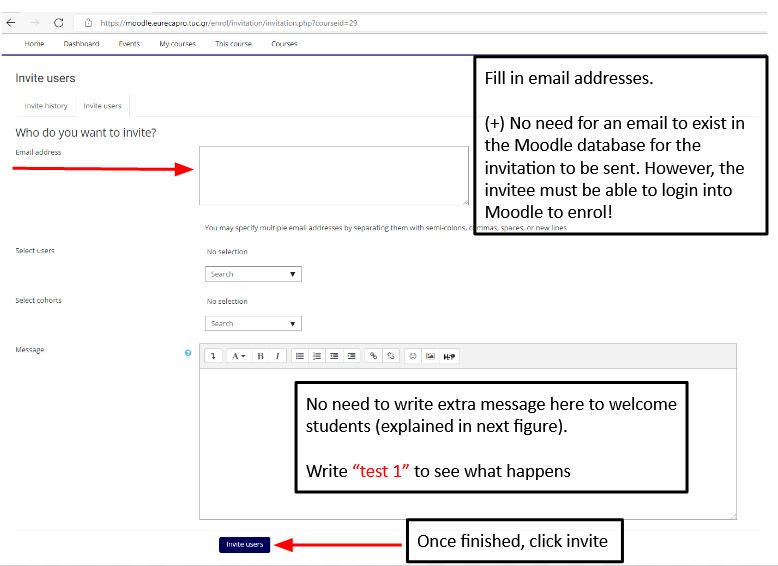
- Now you can fill in the email addresses of the invitees.
If you configured the invitation for the student role (see step 2),
then all invitees will be enrolled as students in your course, provided
that they accept the invitation and they are authorized
to use this platform (i.e., are able to log in).
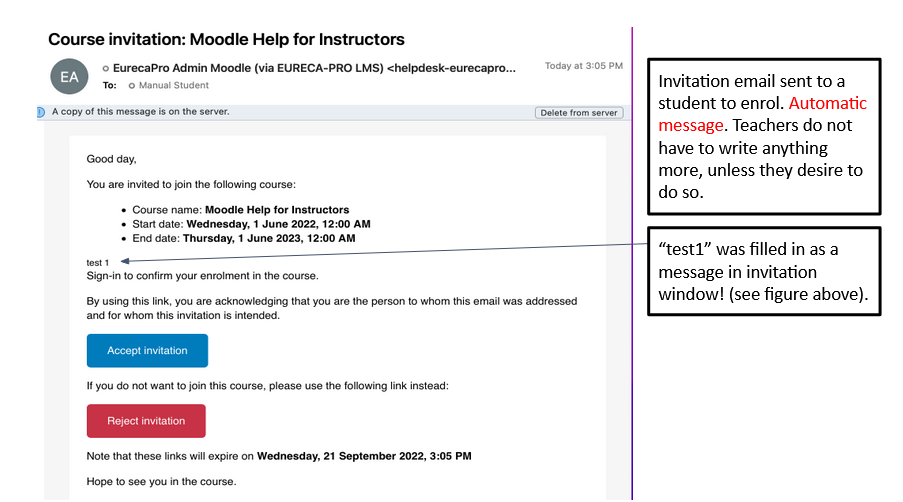
- The figure below illustrates the email that the invitee receives once being invited to enrol in your course.

5. The benefits of using Invitation over other available approaches include:
- Controlling who can use Invitation by configuring permissions. By default, teachers, managers and administrators can send invitations.
- Controlling whether you want to allow invitations to people who do not yet have an account on your site or limit invitations to users with existing accounts. Users without an account will need to create an account on your Moodle site before they can accept the invitation.
- Inclusion of a personalized message in the invitation.
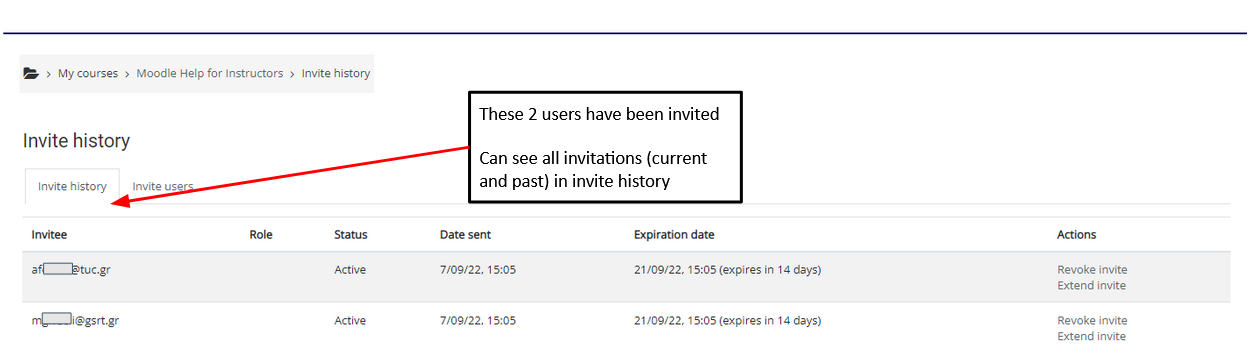
- Having the ability to view the history of past invitations and their current status. For example, you can see who used an invitation, who rejected the invitation and which invitations have expired.