Configuring a Course Basics - Questions and Answers
Requisitos de finalización
This book contains FAQs about configuring a course in Moodle. In
Secton 3.1 you can watch an explanatory video with basic course
configuration information.
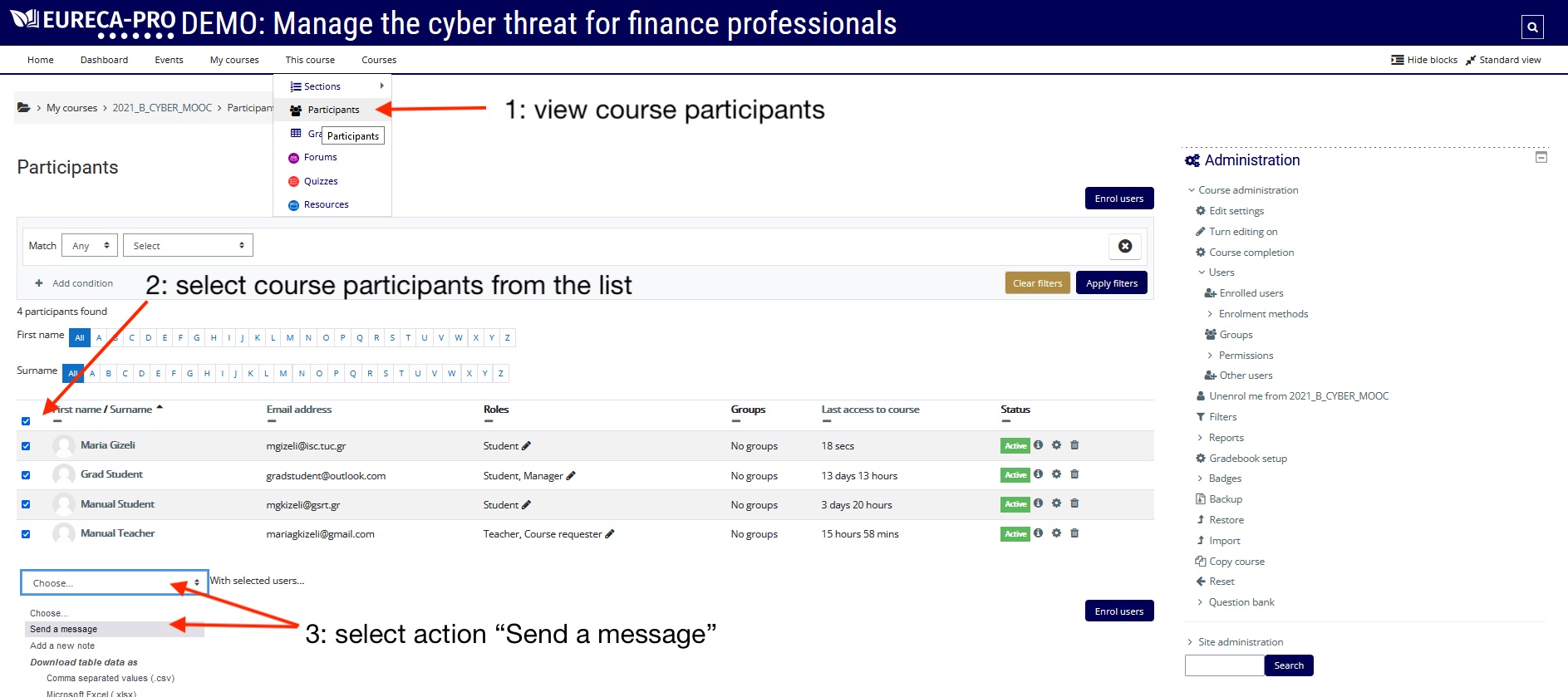
5. Sending a message to selected course participants
An instructor can send a message to course participants as follows (the instructor is within a course):
- Go to the Participants page.
- Select participants from the list or use the "Select all" button at the bottom of the list.
- Choose "Send a message" from the "With selected users..." drop-down menu.
- A message window will appear. Assuming you are satisfied with the message, click the "Send" button.