Configuring a Course Basics - Questions and Answers
8. How can I restrict access to an activity or resource?
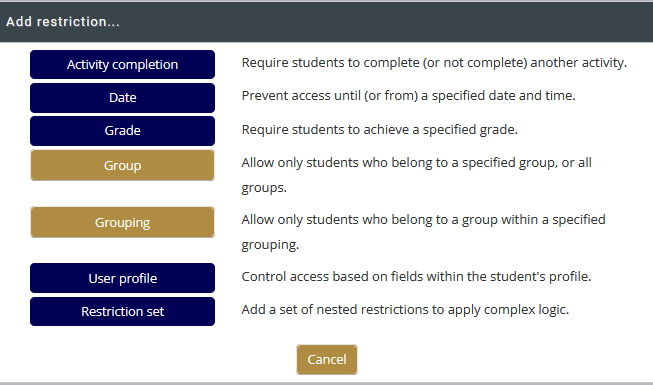
Instructors can control access to resources, activities and course topics based on any of the settings (and any setting combination) shown in the figure below. Next to each setting/button there is a short explanation on the restriction setting. Access restrictions settings are explained in detail in Moodle documentation.
Remember, sometimes you may only want to simply hide items (i.e. control visibility via the "show/hide" setting and not via the "add restriction" settings) from students until they are ready to be used.
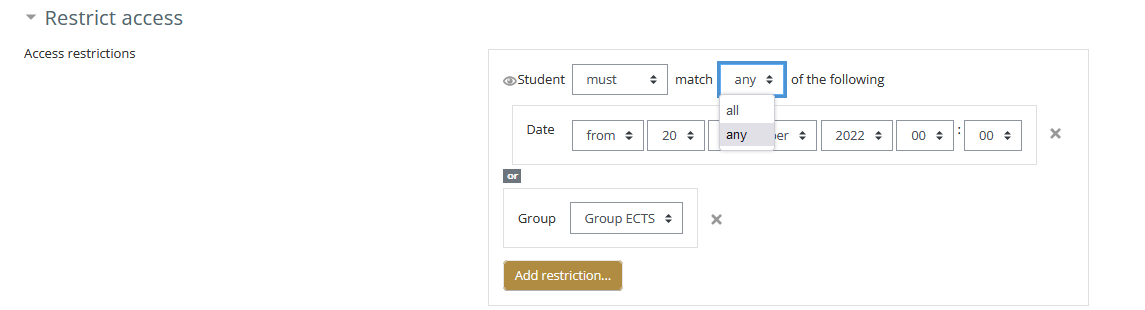
In the following figure we illustrate an example of putting restrictions on a course topic based on a date or a group (i.e., student must match any of the following). This means that students who belong to "Group ECTS" are not restricted by the date to view/access the course topic. The date restriction applies to all students that do not belong to "Group ECTS".